

How to Acquire Metadata for Remaining Items
There may be rare cases where certain items cannot be downloaded from the server. If you would like to collect more information about such items, you can have Forensic Email Collector (FEC) attempt to acquire metadata for them.
There are two places where you can trigger metadata acquisition:
1. At the End of an Acquisition
Section titled “1. At the End of an Acquisition”When an acquisition session ends naturally (i.e., without being canceled by the user), if there are any remaining items, FEC will prompt you to acquire metadata for them. If you choose “Yes”, FEC will attempt to acquire metadata for the remaining items, and then save the metadata report in the project’s output folder.
2. When You Resume a Project
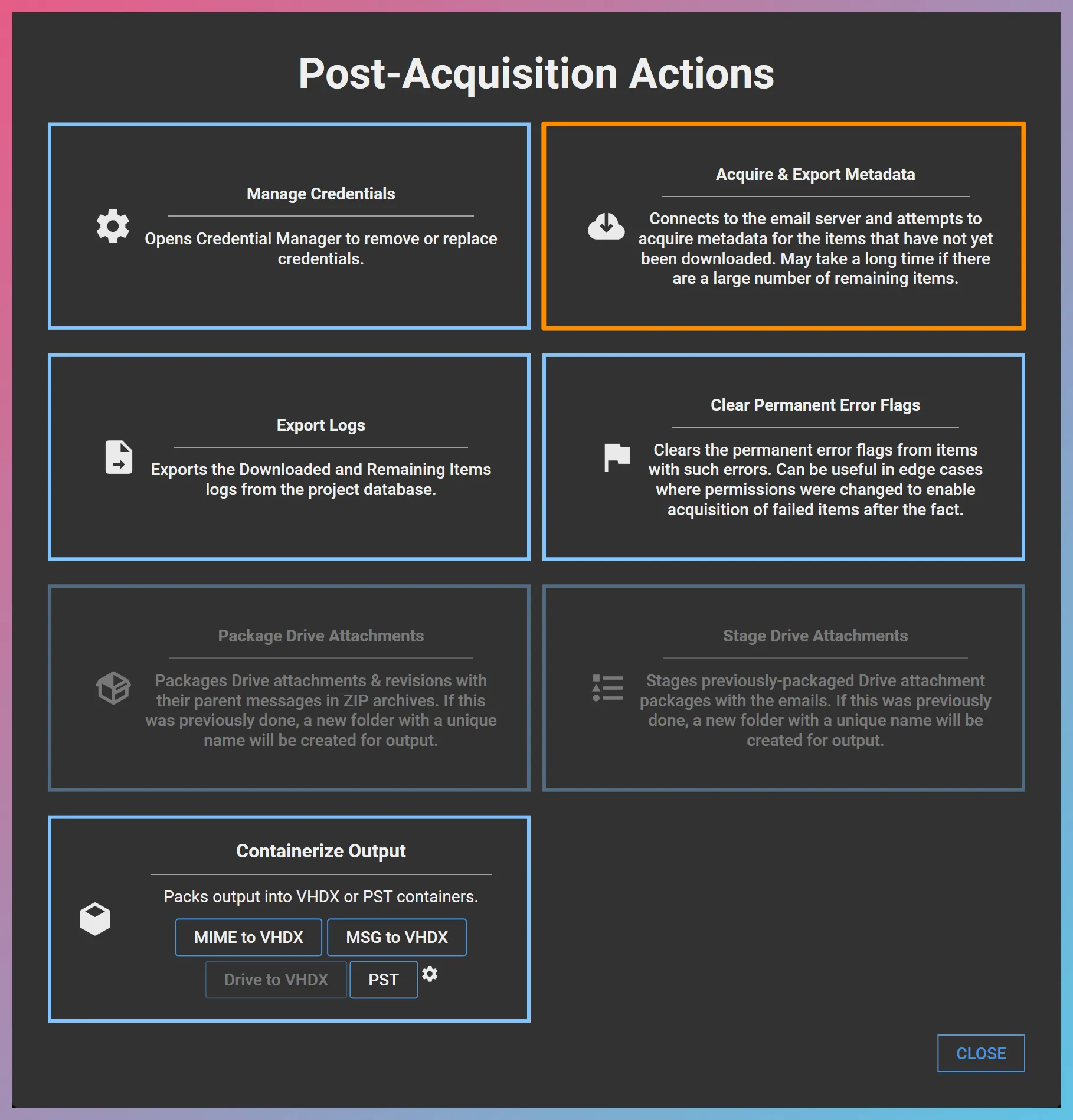
Section titled “2. When You Resume a Project”Alternatively, you can trigger metadata acquisition when you resume an existing project. When you open the existing project and click Post Acquisition Actions…, if there are any remaining items, FEC will display an option that reads “Acquire & Export Metadata”. If you choose this option, you will be asked to choose an output folder.
FEC will then attempt to acquire metadata for the remaining items and save the metadata report in the output folder that you specified.
The metadata report contains the following fields:
| Field | Description |
|---|---|
| ID | FEC internal database ID for the item |
| Service ID | Unique identifier for the item as found on the server |
| Folder | The folder where the item was found |
| From | Email From metadata |
| To | Email To metadata |
| Cc | Email Cc metadata |
| Bcc | Email Bcc metadata |
| Message-ID | Internet message ID for the item |
| Date | Sent date of the item |
| Subject | Email subject |
Because these messages could not be downloaded after repeated attempts, FEC plays it safe by acquiring metadata for each item individually rather than make batch requests. So, metadata acquisition for remaining items can take as long as, or sometimes longer than, downloading entire messages.