Packaging & Staging Modern Attachments of Emails
FEC provides the option to package Drive Attachments and revisions with their parent messages in individual ZIP archives. This is possible for MIME and MSG output, and the packaged files are saved at the following locations:
Directory
<project root>DirectoryItems
Directory
!-- Drive Attachments --!Directory!Packaged_MIME
- …
Directory!Packaged_MSG
- …
Drive Attachment/revision packaging can be accomplished in two different ways:
1. During Project Configuration
Section titled “1. During Project Configuration”When setting up the output options for a project, you have the option to choose Drive Attachment/revision packaging options, as in the screenshot below. These options are only available if the Fetch Drive Attachments option was selected.
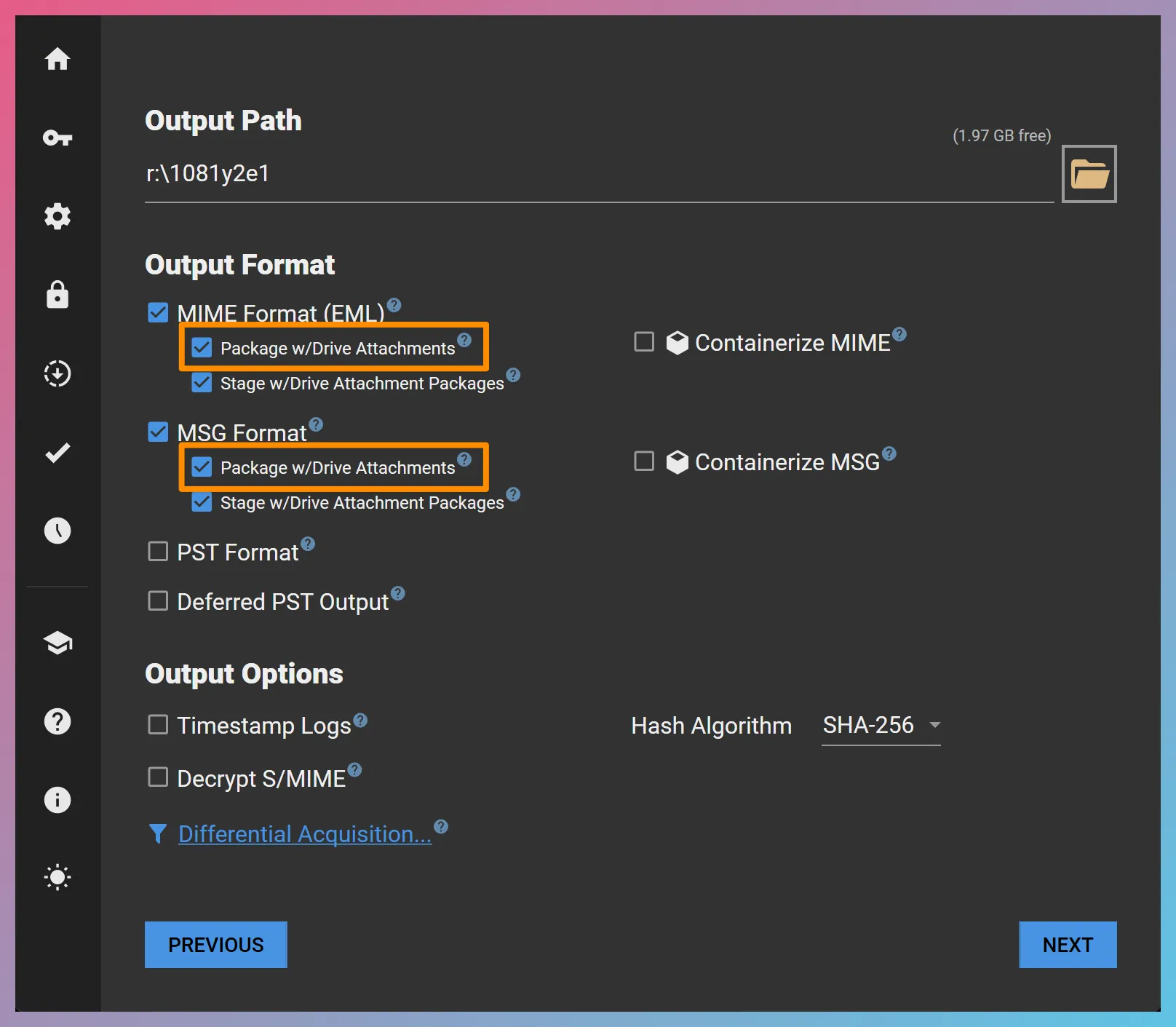
If the packaging options are selected, FEC checks the acquisition status at the conclusion of the acquisition session. If all Drive items without permanent errors have been acquired, then it proceeds with packaging the Drive Attachments and revisions. Otherwise, it asks if you would like to proceed with the packaging, as there are more items that have the potential to be acquired through additional retries. Even if you choose not to proceed with packaging, you can trigger the packaging manually at a later time via a post-acquisition action, as described below.
2. As A Post-Acquisition Action
Section titled “2. As A Post-Acquisition Action”It is also possible to trigger the packaging of Drive Attachments/revisions with their parents via a post-acquisition action. You can accomplish this by opening an existing project, clicking the Post-Acquisition Actions… link followed by the Package Drive Attachments button as in the screenshot below:
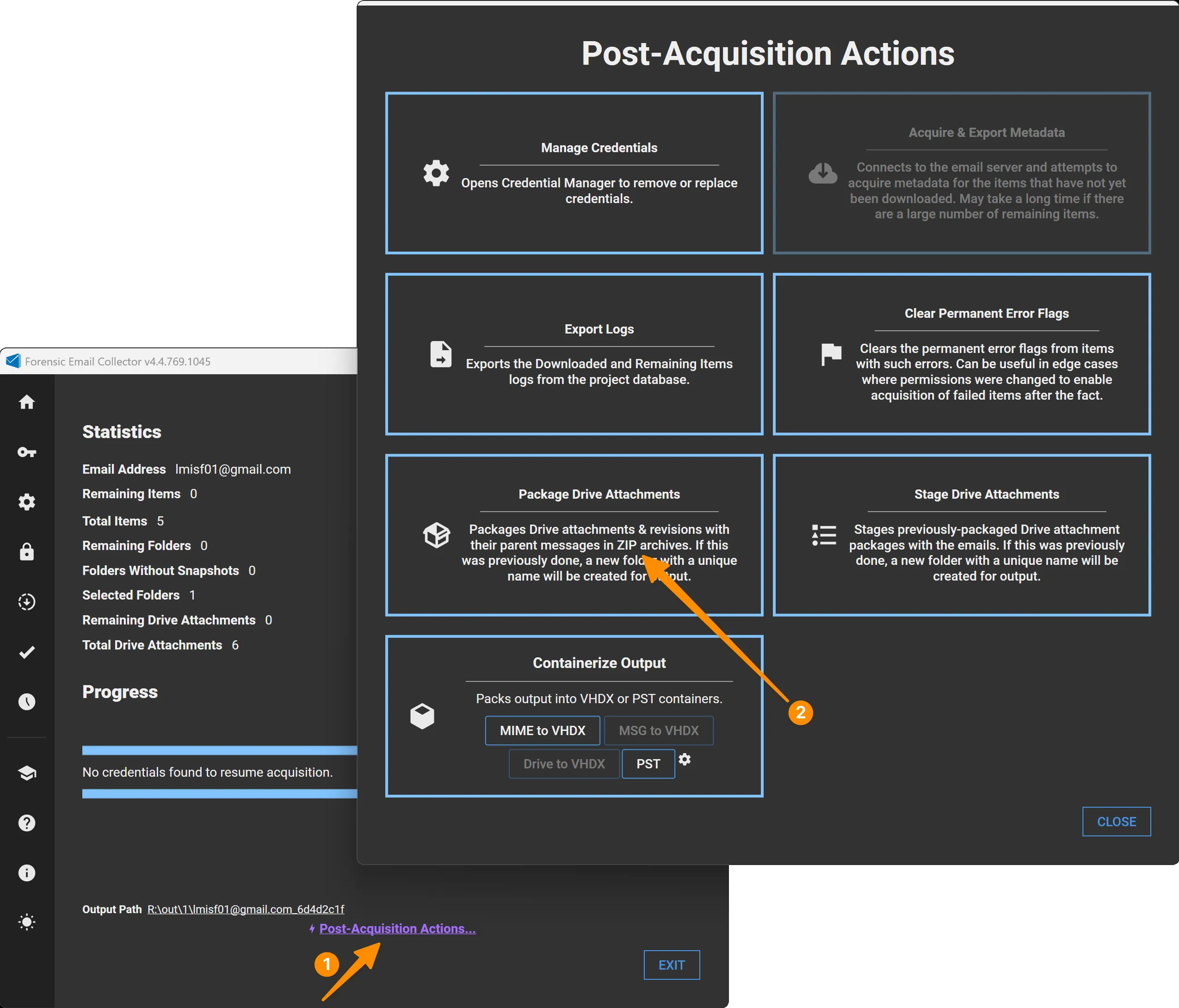
Note that the post-acquisition action is available even if the Package w/Drive Attachments output options were not selected during project setup. Clicking on the hyperlink will cause FEC to do the following:
- Check the output folder to see if Drive Attachments/revisions were packaged previously. If so, a new, unique set of folders will be created to house the new set of packaged files.
- Package the Drive Attachments/revisions for all applicable output types. That is, both MIME and MSG output options if they had been selected during project setup.
What Are the Conditions for Drive Attachments to be Packaged?
Section titled “What Are the Conditions for Drive Attachments to be Packaged?”At the end of an acquisition, you may notice that you have more subfolders under the ”!— Drive Attachments —!” folder than you have ZIPs inside the ”!Packaged_MIME” or ”!Packaged_MSG” folders. This is because a parent message must have at least one successfully-acquired Drive Attachment or revision for the ZIP package to be created. If the Drive Attachment or revision acquisition is unsuccessful (e.g., the file is no longer available), you might have a folder for the attachment but no package ZIP as there is no Drive Attachment or revision to include in the package.
Staging Drive Attachment Packages
Section titled “Staging Drive Attachment Packages”In addition to packaging modern attachments, FEC can stage them so that the acquired emails and corresponding modern attachment packages are combined in a unified output that reflects the folder structure of the email data. If an email has no modern attachments, staging output would reflect the email itself. If it has successfully-acquired modern attachments, staging output would reflect the Drive Attachment package for that parent email.
Staging is available for MIME and MSG output, and the staged output is saved at the following locations:
Directory
<project root>DirectoryItems
Directory
!-- Drive Attachments --!Directory!Staged_MIME
- …
Directory!Staged_MSG
- …
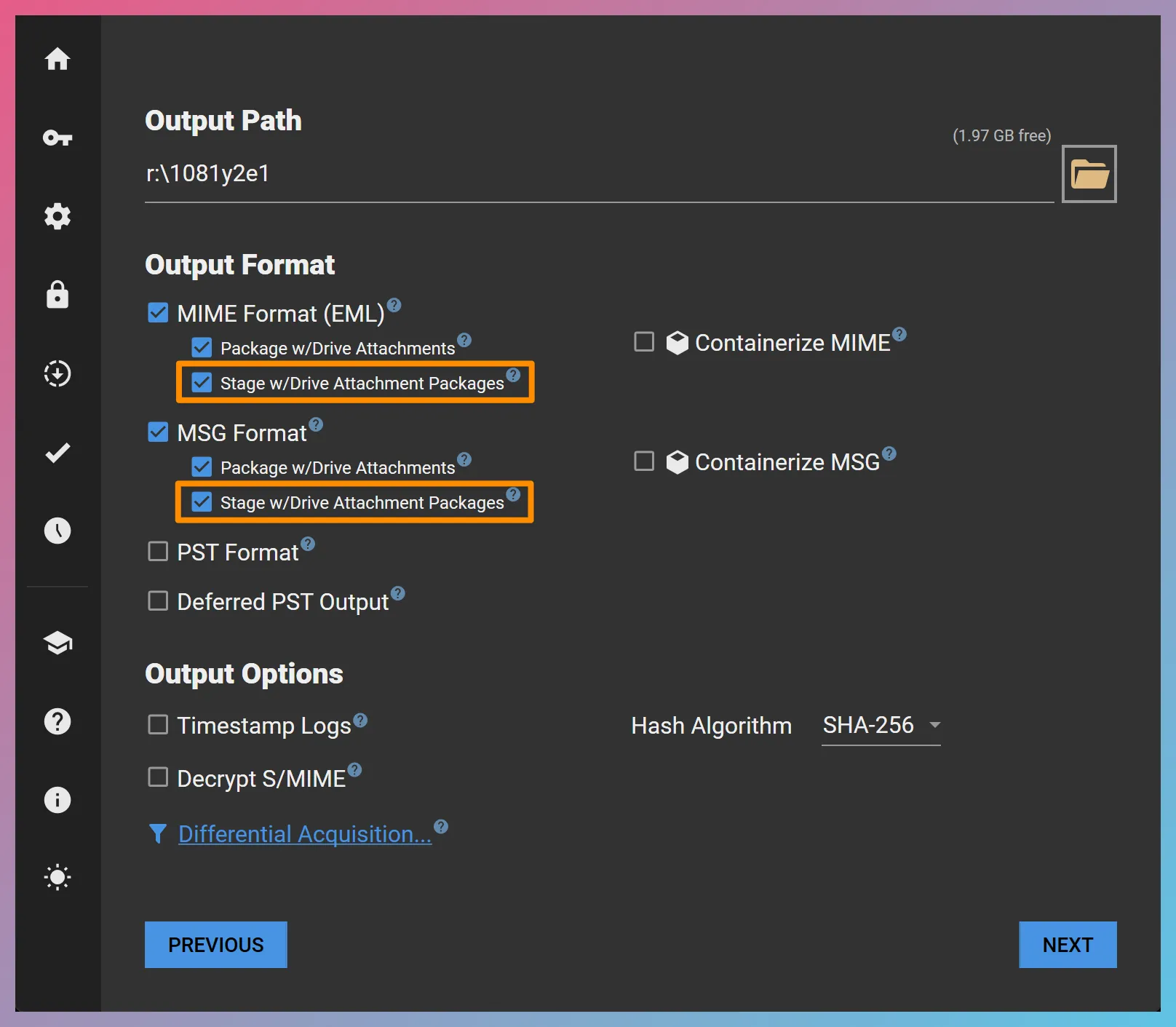
Staging can be scheduled to run automatically once the acquisition is complete by checking the Stage w/Drive Attachment Packages output option shown below, or can be triggered as a post-acquisition action as seen here.