

In-place Search for IMAP
Forensic Email Collector (FEC) makes it possible to In-place Searches on a mailbox over IMAP to narrow down the data set. You can launch the In-place Search interface for IMAP by clicking the In-place Search link as shown below.
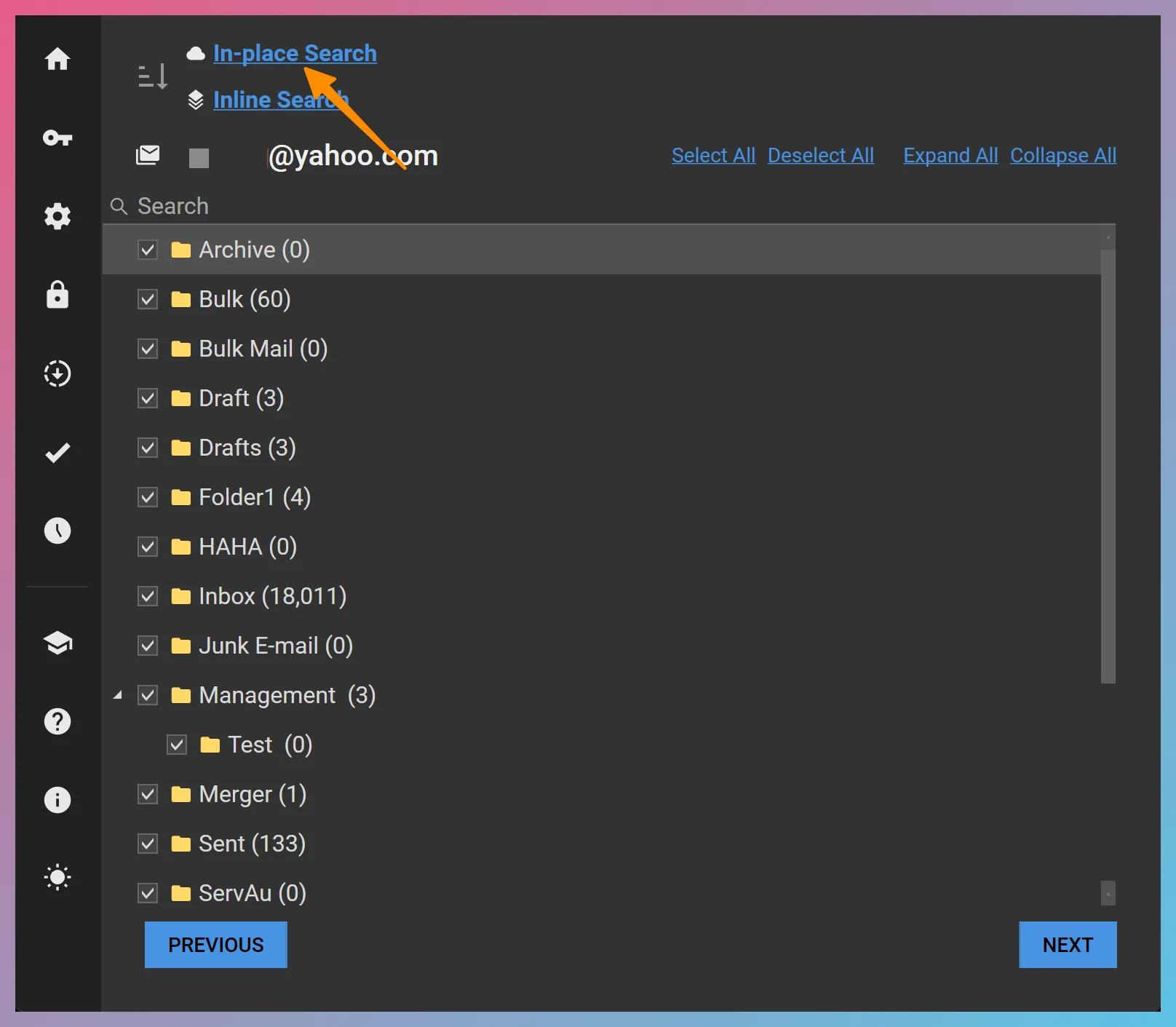
FEC In-place Search for IMAP allows you to execute your search query on the server and preview the search results. The **accuracy of the search results is dependent on the capabilities of the target IMAP server.
What You Can Search For
Section titled “What You Can Search For”FEC In-place Search for IMAP allows you to build complex queries by combining search criteria and Boolean operators.
Here are a few examples to get you started:
- Emails that contain a string in the “From:” field. — Example: From contains
[email protected] - Emails that contain a string in the “To:” field. — Example: To contains
robert smith - Emails that contain a string in the “CC:” field. — Example: CC contains
[email protected] - Emails that contain a string in the “BCC:” field. — Example: BCC contains
[email protected] - Emails that contain a string in the “Subject:” field. — Example: Subject contains
notice - Emails that contain a string in their body. — Example: Body contains
contract - Emails that contain a string in their headers or body. — Example: FullText contains
purchase agreement - Emails that have an internal date within a time period. — Example: Date is between
<Start Date> _and_ <End Date> - Emails that have a sent date within a time period. — Example: Sent Date is between
<Start Date> _and_ <End Date>(Please note that some IMAP servers such as that of Yahoo do not support searching by sent date. You can use the internal date instead.) - Emails that contain a string in one of their header fields. — Example: Header Field Message-Id contains
<[email protected]>(Please note that some IMAP servers such as that of Yahoo do not support header field searches).
Boolean Operators
Section titled “Boolean Operators”In order to combine search terms using AND or OR Boolean operators, you should first create an AND Group or an OR Group and then add the terms inside that group.
In the example below, the two terms inside of the OR Group will be combined with the OR Boolean operator. The resulting query would be: SUBJECT contains 'contract dispute' OR SUBJECT contains 'litigation hold'.
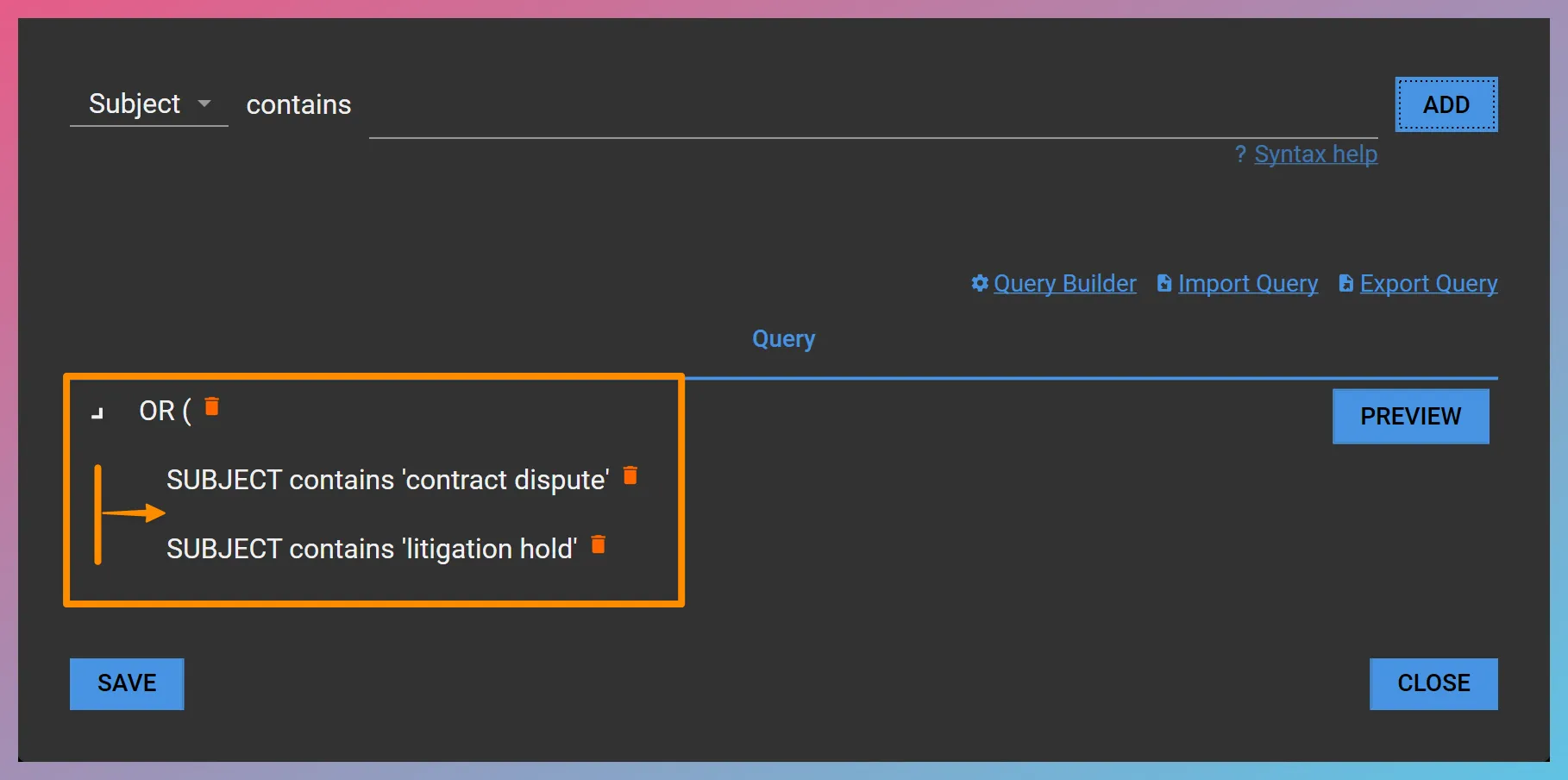
TIP Note how the terms inside of the OR Group are indented.
AND Groups and OR Groups can be nested. You can add terms inside a group by clicking on the group before adding the child terms using the
You can also invert a term by clicking on the term, choosing NOT from the drop-down and clicking
Importing and Exporting IMAP Search Queries

Section titled “Importing and Exporting IMAP Search Queries”If you would like to reuse your IMAP In-place Search query across acquisition projects, you can export it using the Export Query hyperlink in the In-place Search window and import it using the Import Query hyperlink. The exported query will be saved as an FEC IMAP Query (.fiq) file in XML format.
TIP The query export feature can also be used to export a skeleton IMAP query and extend it outside of FEC using a script, spreadsheet, text editor, etc.
Saving and Clearing the Search Query
Section titled “Saving and Clearing the Search Query”Once you have finalized your search query, you can save it by using the