

S/MIME Decryption
Forensic Email Collector (FEC) allows you to decrypt S/MIME-encrypted emails during email acquisitions. Decrypting S/MIME during the acquisition rather than after it offers the benefit that modern attachments and revisions of encrypted emails can be acquired as part of the acquisition.
Supported Encryption Algorithms and Padding Schemes
Section titled “Supported Encryption Algorithms and Padding Schemes”The following encryption algorithms are supported during S/MIME decryption:
- AES-128
- AES-192
- AES-256
- 3DES
- DES
- RC2
The following padding schemes are supported:
- Public-Key Cryptography Standards (PKCS) #1 v1.5
- Optimal Asymmetric Encryption Padding (OAEP ↗)
Enabling S/MIME Decryption
Section titled “Enabling S/MIME Decryption”You can enable S/MIME decryption on the Output Settings page as shown in the screenshot below:
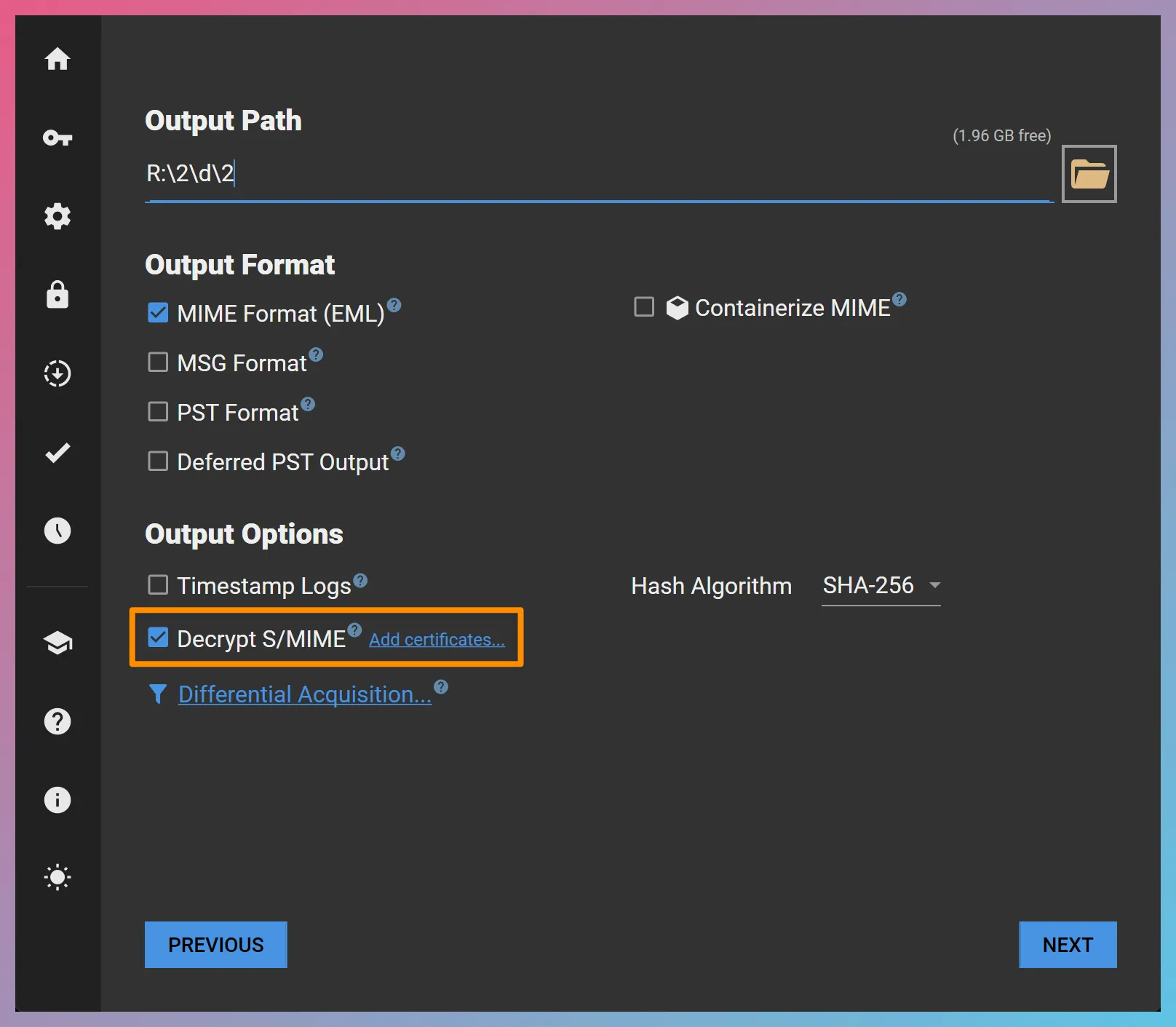
Once S/MIME decryption is enabled, you will be presented with an optional Add certificates… link. If you do not add any certificates, FEC will look for available certificates in the certificate store of the computer where it is running.
Adding Certificates
Section titled “Adding Certificates”Through the “Add certificates…” link, you can add certificates in PKCS #12 (.pfx or .p12) or DER format for decryption. It is possible to add multiple certificates if needed. This also allows you to pre-load all the necessary certificates ahead of time when batch creating acquisition projects.
Output
Section titled “Output”Decrypted messages will be output in both encrypted (original) and decrypted form. The decrypted copy will be used in FEC’s MSG and PST output—so that they are ready for ingestion—while the original form will be included for full forensic transparency and cryptographic signature verification.