

Using Impersonation with Exchange & M365
Forensic Email Collector (FEC) allows you to acquire end-user mailboxes using centralized credentials. This makes it possible to preserve emails from a large number of custodians in an organization without having to track each user down for authentication. FEC provides three options for Exchange / M365:
- Delegation
- Impersonation (currently, mainly useful for on-prem Exchange or hosted Exchange outside of M365)
- App-only Authentication (applies to M365 only)
Delegate Access vs. Impersonation
Section titled “Delegate Access vs. Impersonation”The following article from the MSDN archive summarizes the differences between delegation and impersonation:
Exchange Impersonation vs. Delegate Access ↗
Perhaps the most important distinction is that delegate access is configured at the mailbox level. That is, the centralized account is given full access rights to the target mailboxes. If a new mailbox is created, it needs to be configured for delegate access.
On the other hand, Impersonation is configured once by creating a service account and giving it the ApplicationImpersonation role.
Setting up Impersonation
Section titled “Setting up Impersonation”You can configure Impersonation as follows:
-
Visit the Exchange Admin Center ↗
-
Create a new service account
-
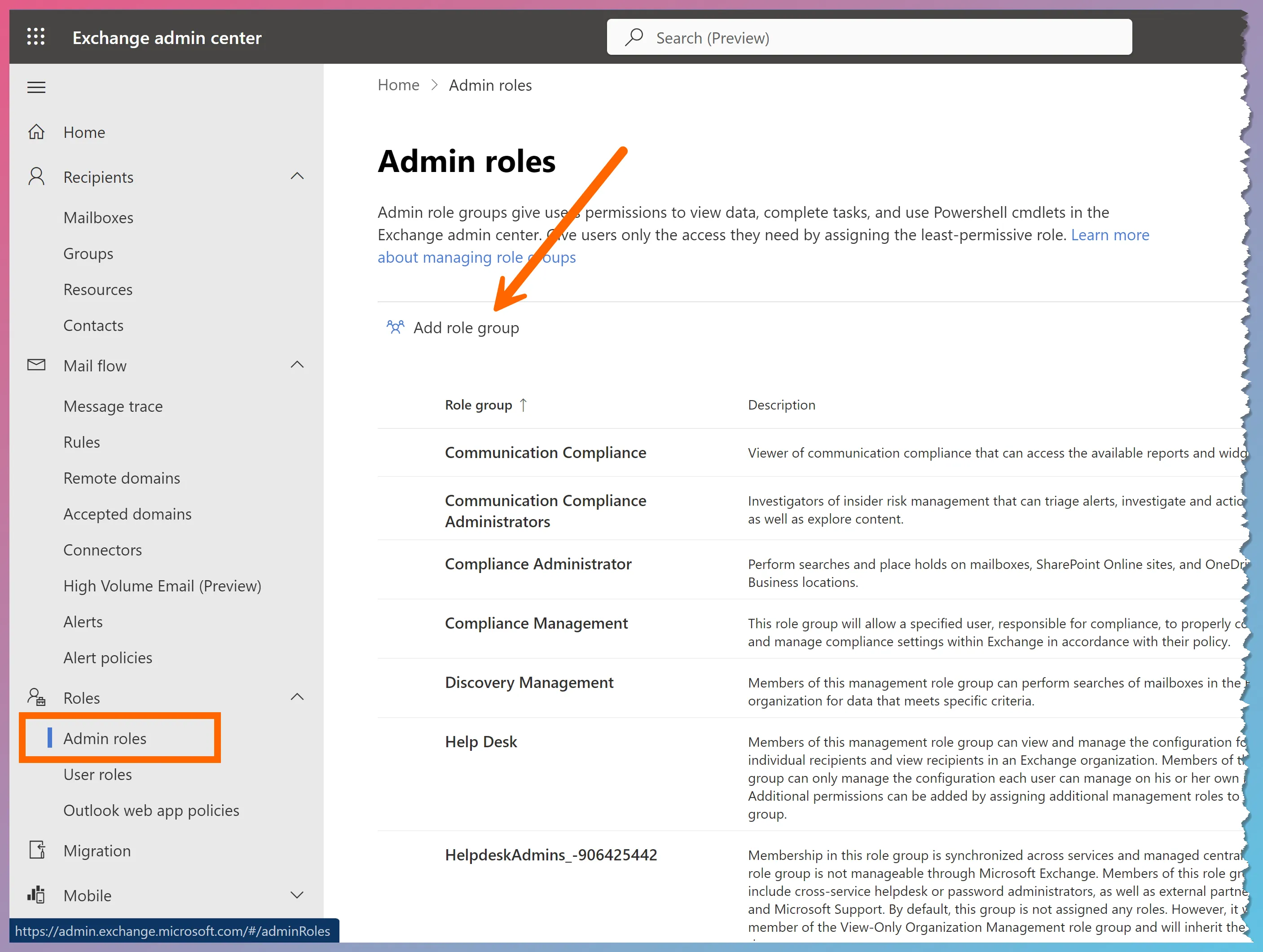
Create a new role group (Roles ➫ Admin roles ➫ Add role group)
-
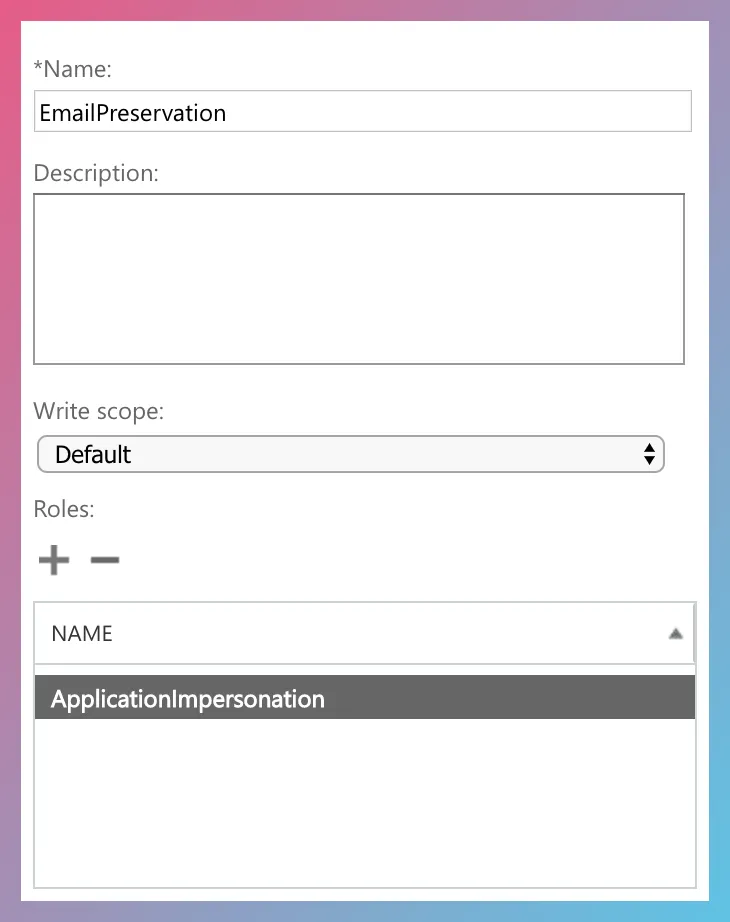
Add the ApplicationImpersonation role to the role group
-
Add the service account you created in #2 above to the new role group
When acquiring target mailboxes in FEC, you can activate impersonation as follows:
-
Enter the target email address (i.e., the email address of the end-user).
-
If using legacy authentication, enter the credentials of the service account on the connection settings page. This typically applies to on-premises Exchange only—for M365, we recommend using OAuth (see Important Note below).
-
Check the Use Impersonation checkbox. If you do not check the checkbox, FEC will use delegation instead.
-
If you plan to use modern authentication, check the Use OAuth checkbox and authenticate as the service account.
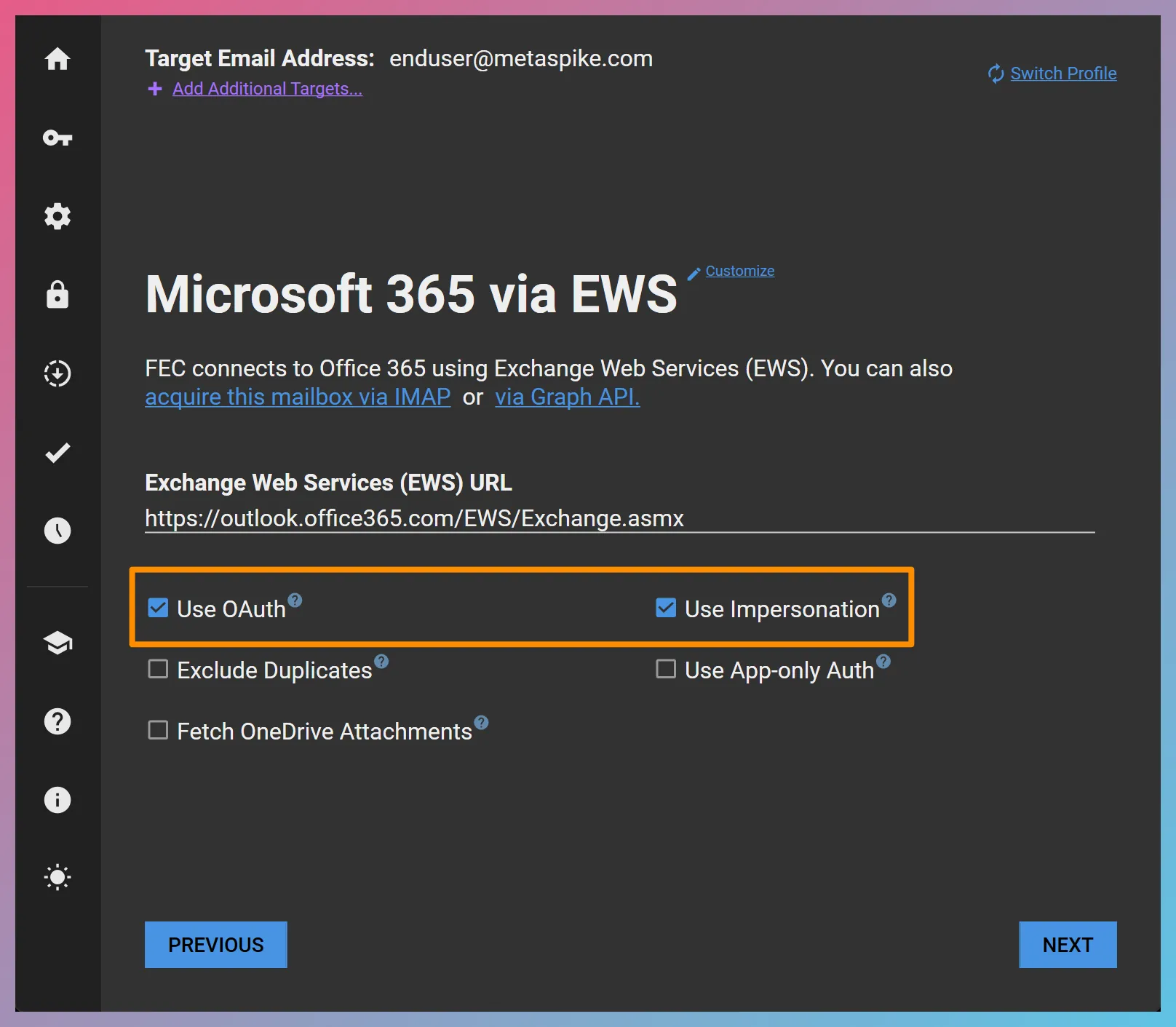
In the above example, we started the acquisition by entering the target account, [email protected], as the target email address. In subsequent steps, a web browser will open for modern authentication and we will authenticate as the service account with the ApplicationImpersonation role.