

In-place Search for Microsoft Graph API
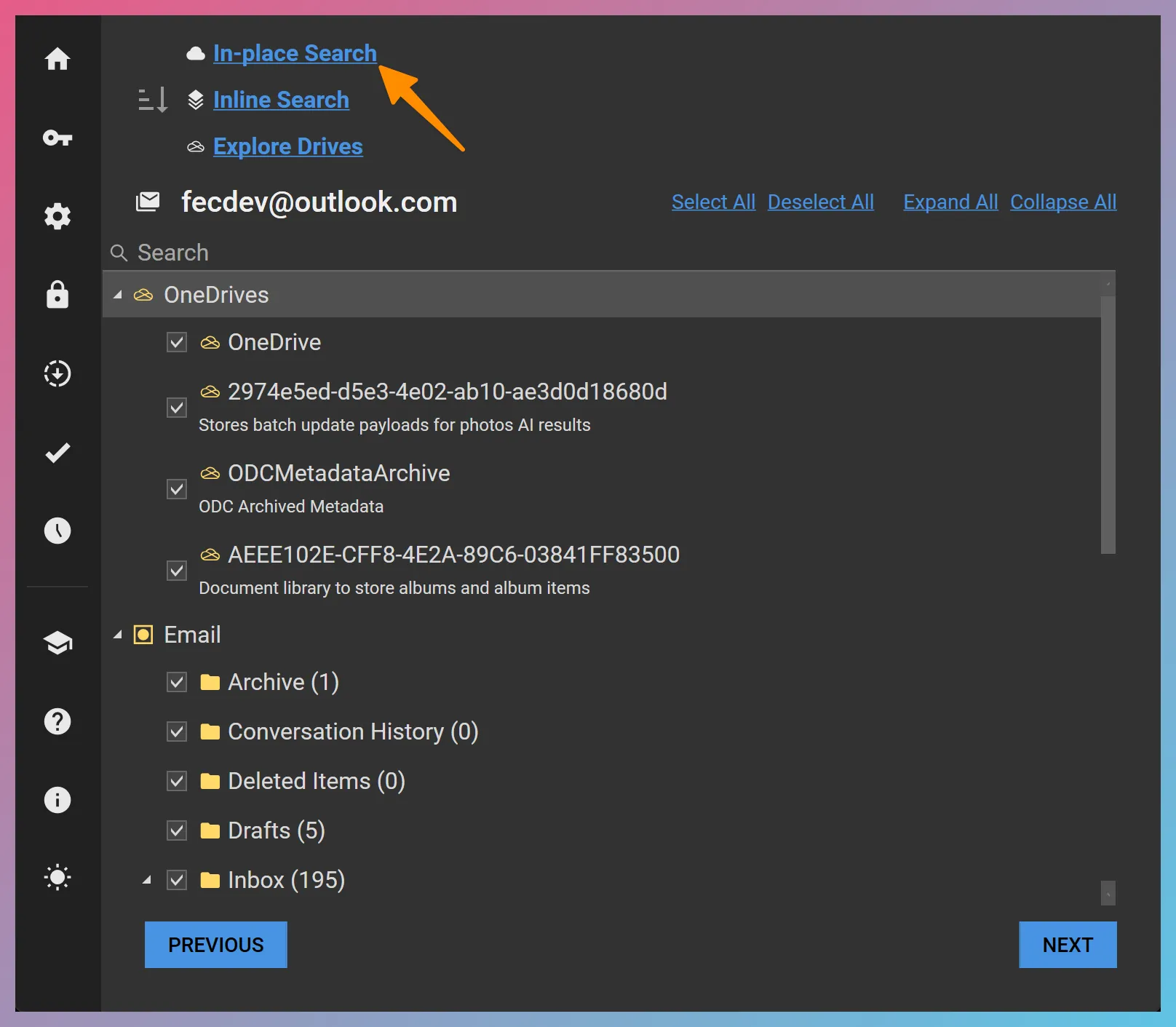
When forensically preserving data from an M365 or personal Microsoft accounts (e.g., Hotmail, Outlook.com, etc.) using Microsoft Graph API, it is possible to perform In-place Searches to narrow down the data set. You can launch the In-place Search interface for Graph by clicking the In-place Search link in Forensic Email Collector (FEC) as shown below:
1. Email
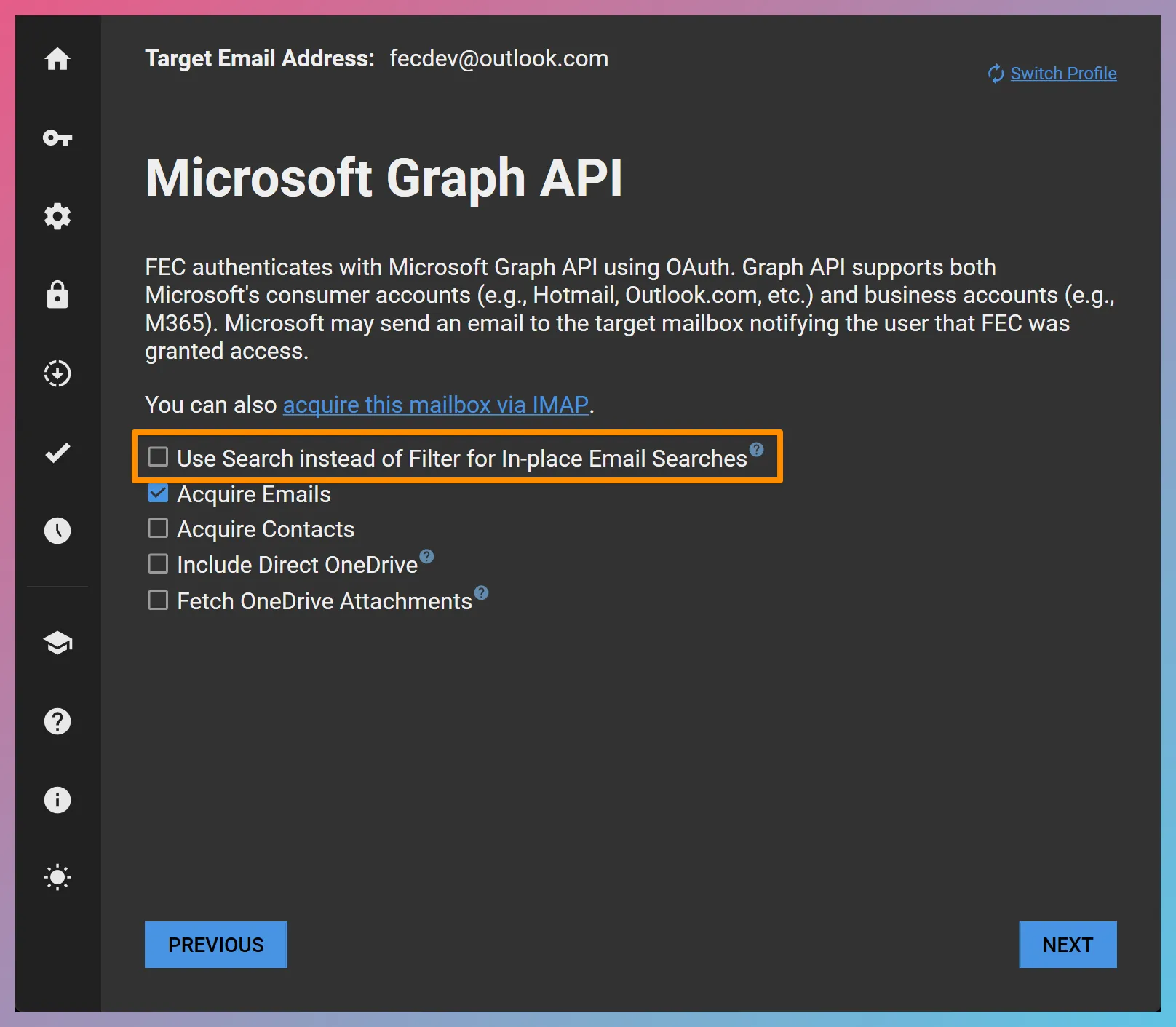
Section titled “1. Email”Graph API supports two mechanisms for In-place Search: the filter query parameter and the search query parameter. FEC uses the filter query parameter by default in order to work around the API cap associated with the search query parameter. You can control this behavior via the Use Search instead of Filter for In-place Email Searches option in Graph API settings as in the screenshot below.
Filtering
Section titled “Filtering”The filter query parameter supports the following search operators:
- equals eq / not equals ne
- less than lt / greater than gt
- less than or equal to le / greater than or equal to ge
- and and / or or
- in in
- Negation not
- lambda operator any any
- lambda operator all all
- Starts with startsWith
- Ends with endsWith
- Contains contains
For a list of properties that can be filtered (with some caveats), please refer to Microsoft’s documentation below:
https://docs.microsoft.com/en-us/graph/api/resources/message?view=graph-rest-1.0
Example Searches:
Section titled “Example Searches:”Example 1 — Items with sent or received dates between January 1, 2019 and December 31, 2019:
(receivedDateTime ge 2019-01-01 AND receivedDateTime le 2019-12-31) OR (sentDateTime ge 2019-01-01 AND sentDateTime le 2019-12-31)Example 2 — Emails from a specific address:
from/emailAddress/address eq '[email protected]'Example 3 — Emails that contain a specific name in their From field:
contains(from/emailAddress/name,'john')Example 4 — Emails with a specific Internet Message-ID:
internetMessageId eq '<[email protected]>'You can use the Unified Query Builder to construct participant and date restrictions using the filter query parameter.
Searching
Section titled “Searching”If you select the Use Search instead of Filter for In-place Email Searches option in Graph API settings, FEC will use the search query parameter instead of the filter query parameter. The search query parameter is much more flexible, but it has the following important limitation:
Graph API In-place Searches via the search query parameter use Keyword Query Language (KQL) syntax. You can find the details in Microsoft’s documentation below:
Keyword Query Language (KQL) syntax reference
2. OneDrive
Section titled “2. OneDrive”Searching OneDrive for Personal Microsoft Accounts
Section titled “Searching OneDrive for Personal Microsoft Accounts”We have found during our testing that the Graph API search functionality for personal OneDrive accounts sometimes does not return any results until a search is performed on Microsoft’s OneDrive web interface. While the underlying reason is unclear, perhaps performing a search on the web triggers Microsoft to index the personal OneDrive contents.
Saving and Clearing the Search Query
Section titled “Saving and Clearing the Search Query”Once you have finalized your search query, you can save it by using the SAVE button. This will close the In-place Search window and activate your query. If you would like to clear the search query, you can click on the small 🗑️ symbol next to the Search Query Activated text.