How to Change Log Delimiters
Forensic Email Collector (FEC) exports numerous logs as delimited text files. These logs include lists of downloaded items, acquired item metadata, etc.
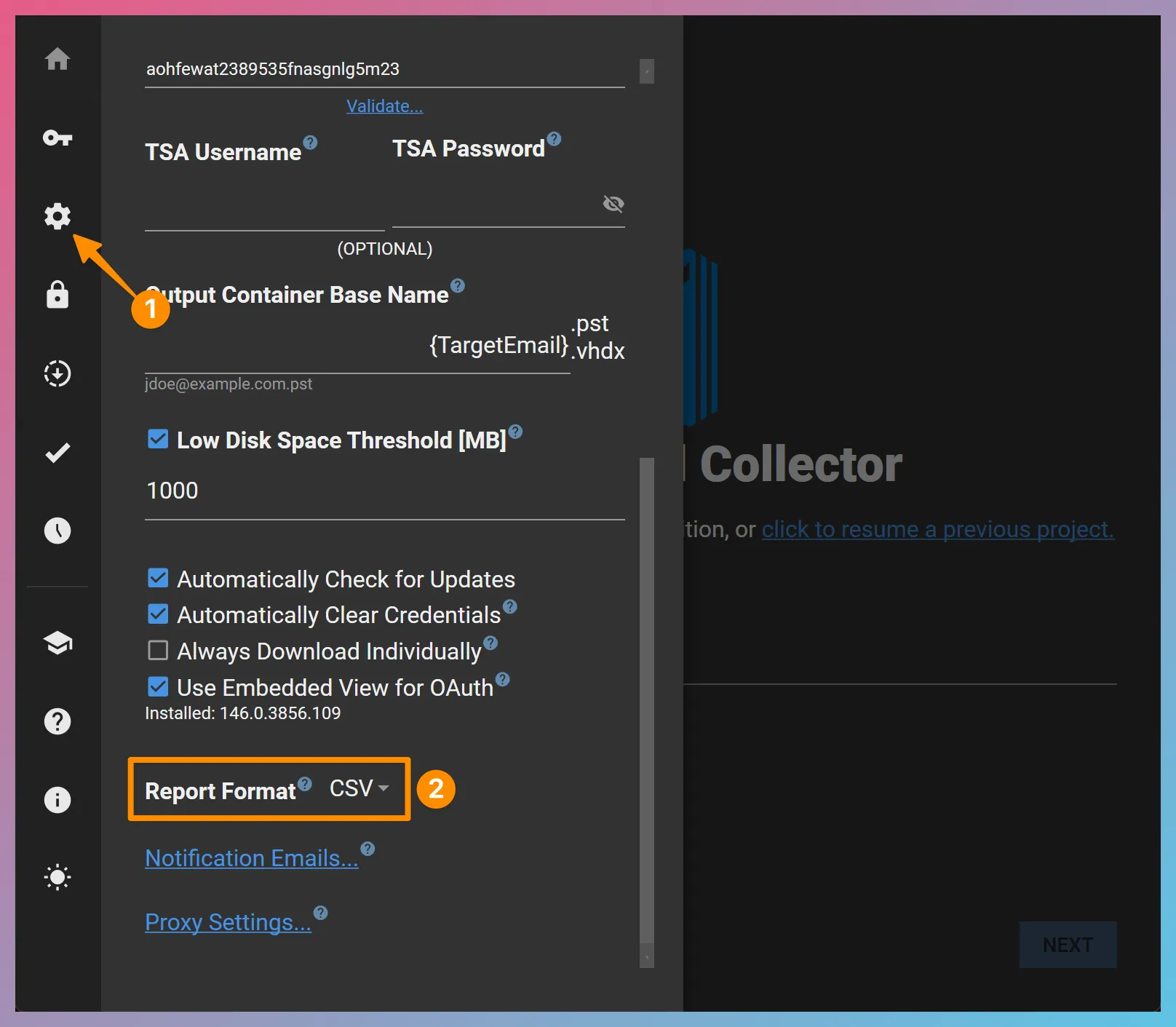
The logs can be exported in tab-separated values (TSV), comma-separated values (CSV), and DAT formats. You can switch between the formats as follows:
-
Go to the Settings page in FEC by clicking on the gear menu item.
-
Choose the delimiter option you prefer from the Report Format drop-down list: